Set up URL redirects
Use URL redirects in GLC to send visitors to a working page when they open a broken storefront URL. To set up a redirect, turn on URL redirects, select at least one rule, and enter a destination for each rule you select.
1. Open URL redirects
In GLC, open Geolocation from the app menu, then click the URL redirects tab.
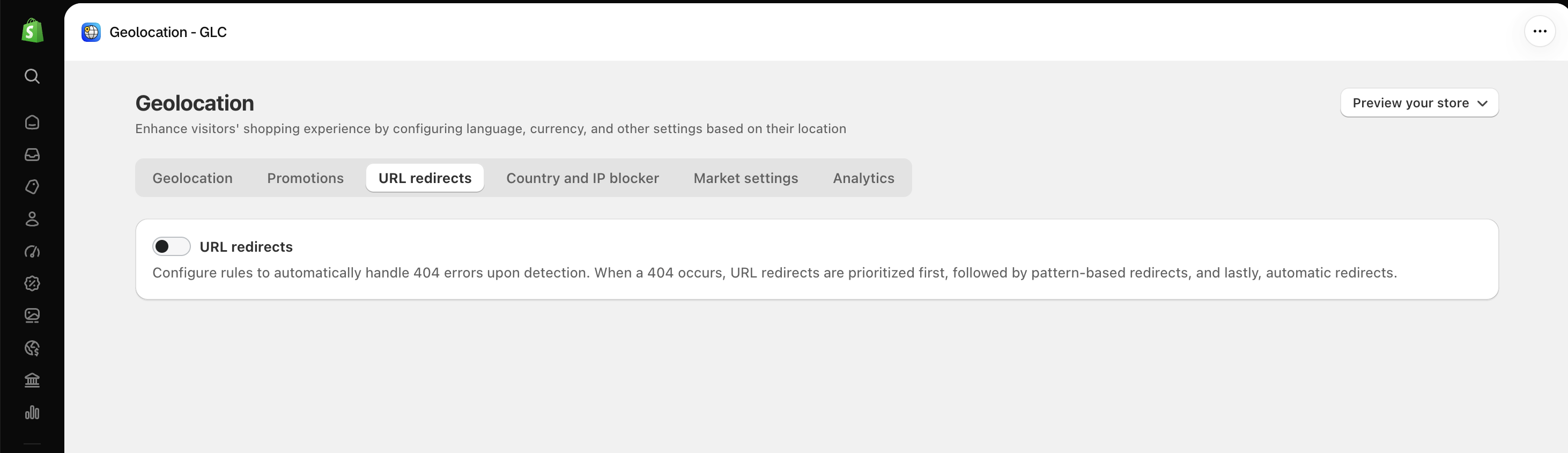
2. Turn on URL redirects
Turn on the URL redirects toggle. Then use the checkboxes below the toggle to choose which types of broken URLs to redirect.
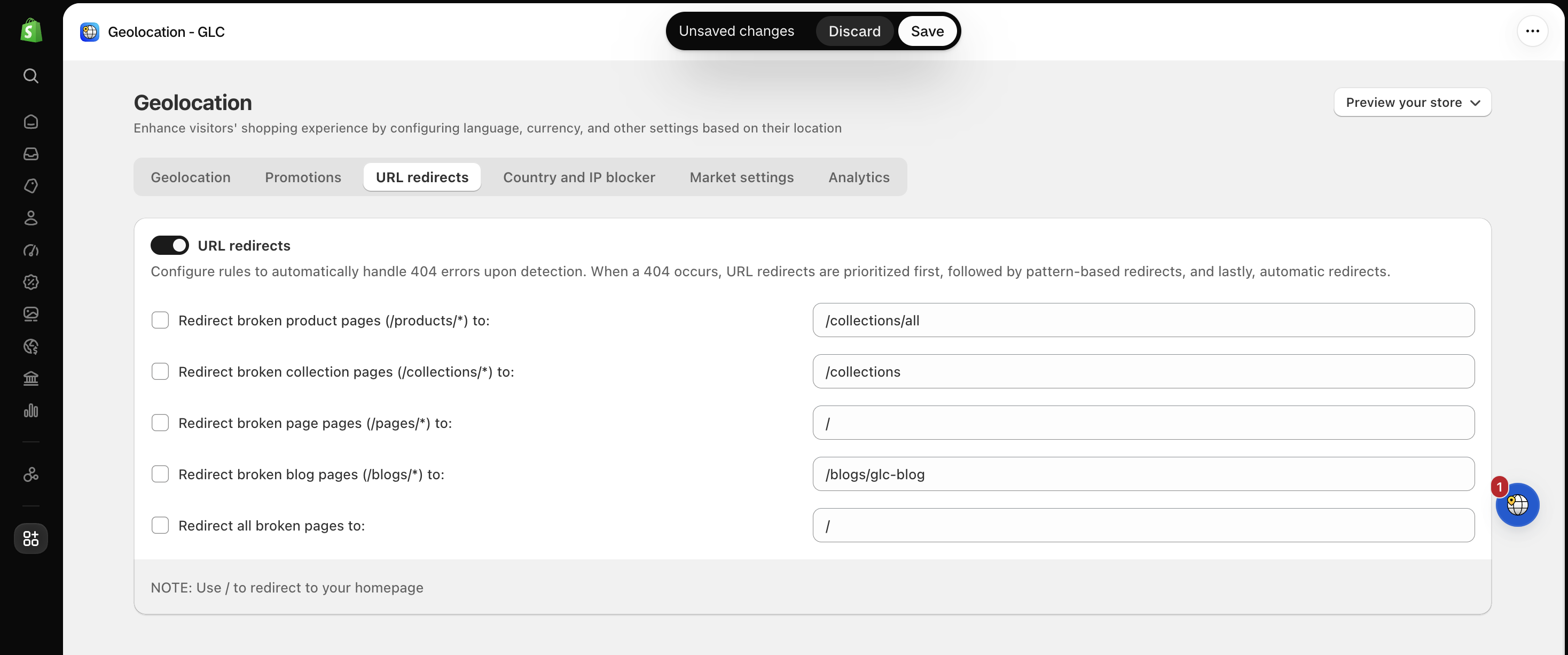
3. Select rules and enter destinations
Check the box next to each rule you want to use. For each checked rule, enter the path of an existing page in the field on the right. Only checked rules apply.
| Select this rule | When to use it | Example destination |
|---|---|---|
| Redirect broken product pages | A URL under /products/ returns a 404. | /collections/all |
| Redirect broken collection pages | A URL under /collections/ returns a 404. | /collections |
| Redirect broken page pages | A URL under /pages/ returns a 404. | / |
| Redirect broken blog pages | A URL under /blogs/ returns a 404. | /blogs/news |
| Redirect all broken pages | You want a fallback for broken URLs that do not match any other rule. | / |
For example, to send visitors from broken product links to your product catalog, check Redirect broken product pages and enter /collections/all. Leave the other rules unchecked if you only want to redirect broken product links.
Use / to redirect visitors to your homepage.
4. Save and test
Click Save at the top of the page. Open a storefront URL that previously returned a 404 and matches one of your selected rules. Confirm that it takes you to the destination you entered.
Redirect priority
When a URL returns a 404, redirects are checked in this order:
- Manual URL redirects
- Pattern-based redirects
- Automatic redirects
404 redirects don't count toward your monthly User Redirections.
If you're not sure which rules to select, or a broken link doesn't take visitors to the destination you entered, email us at support@gelacy.app with the broken URL. We'll help you check your redirects.