Can I change the font or formatting of translated text?
Translated text follows your theme's font and color settings. For language-specific fonts or colors, adjust your theme's styling.
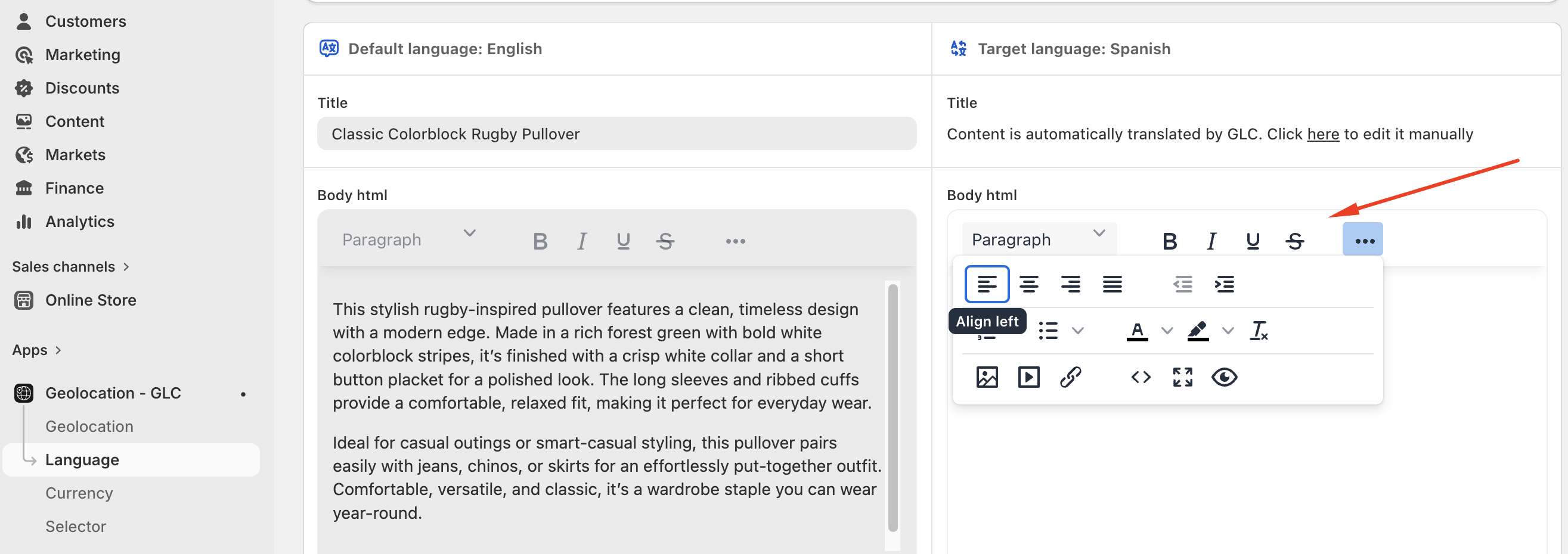
Where GLC provides a rich text editor, you can apply supported formatting such as bold, underline, alignment, or inserted images to the saved translation.
For the Selector's own colors and appearance, see Customize the Selector.
If you're not sure how to change the font for a specific language, email us at support@gelacy.app with the page URL and language. We'll check what's possible for your theme.